Spam Filter
The Spam Filter is a separate section on the General tab, available on every project. It is found under Search Settings → General → Spam Filter.
The Spam Filter declines requests that look suspicious — useful when your traffic contains automated queries that do not resemble normal human searches. For the broader reasoning on when to reach for these settings against bots and abusive traffic, see Search Security.
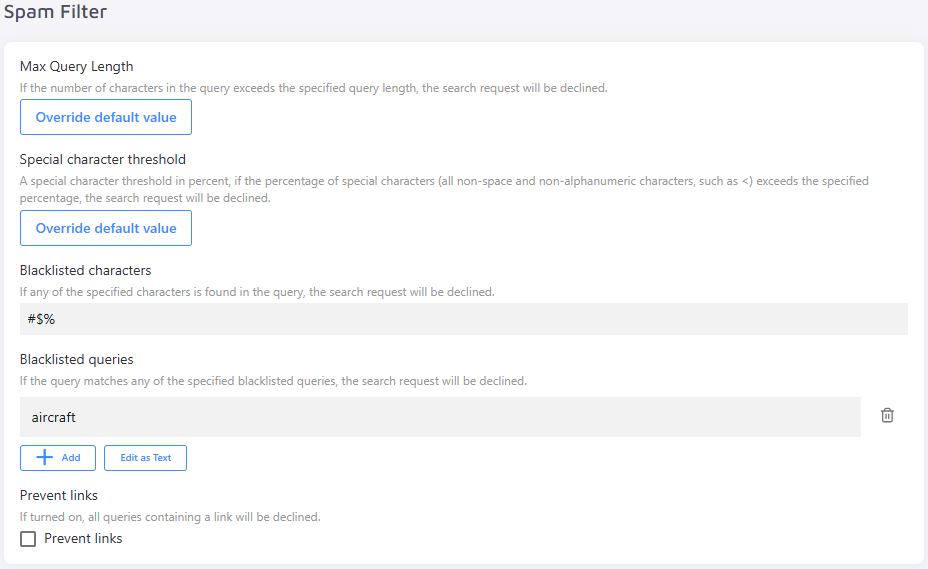
- Max Query Length — declines any request where the query exceeds the configured character limit.
- Special Character Threshold — a percentage-based threshold. If special characters (any non-space, non-alphanumeric character, such as
<) make up more than the specified percentage of the query, the request will be declined. - Blacklisted Characters — if any of the specified characters appears in the query, the request will be declined.
- Blacklisted Queries — if the query exactly matches one of the blacklisted entries, the request will be declined.
- Prevent Links — when enabled, any query containing a URL or link will be declined.