Smart 404
The Smart 404 feature replaces 404 pages with a Site Search 360 page that provides relevant search suggestions.
A generic 404 page can cause visitors to leave your site. Smart 404 surfaces relevant search results based on the broken URL, so visitors can still find what they were looking for.
How it works
The Smart 404 feature returns results from the Site Search 360 index based on the URL content. We take URL elements, except for the domain, and use them as a search query for our system. We also remove the "404" text from the URL so it doesn't influence the results.
Add Smart 404 to your site
Add a smart404 object to your ss360Config. Specify a unique identifier that indicates your 404 page (for example, the page title), a CSS selector pointing to a page block where alternative results should be rendered, and a caption:
var ss360Config = {
   ...,
   smart404: {
      identifier: 'Page not found', // The string in the title that identifies the page as a 404 page
      resultSelector: '#ss360-404', // A CSS selector that points to the area in which the alternative links should be shown
      caption: 'Try checking this instead:' // Caption for 404 results
   }
};
Example
Here's a live example of what a Smart 404 page may look like.
The https://docs.sitesearch360.com/beef-burgers URL no longer exists, but let's imagine a site visitor landed on this page somehow. Smart 404 allows you to automatically break down the URL path of the broken page and trigger a search for beef burgers in this case:
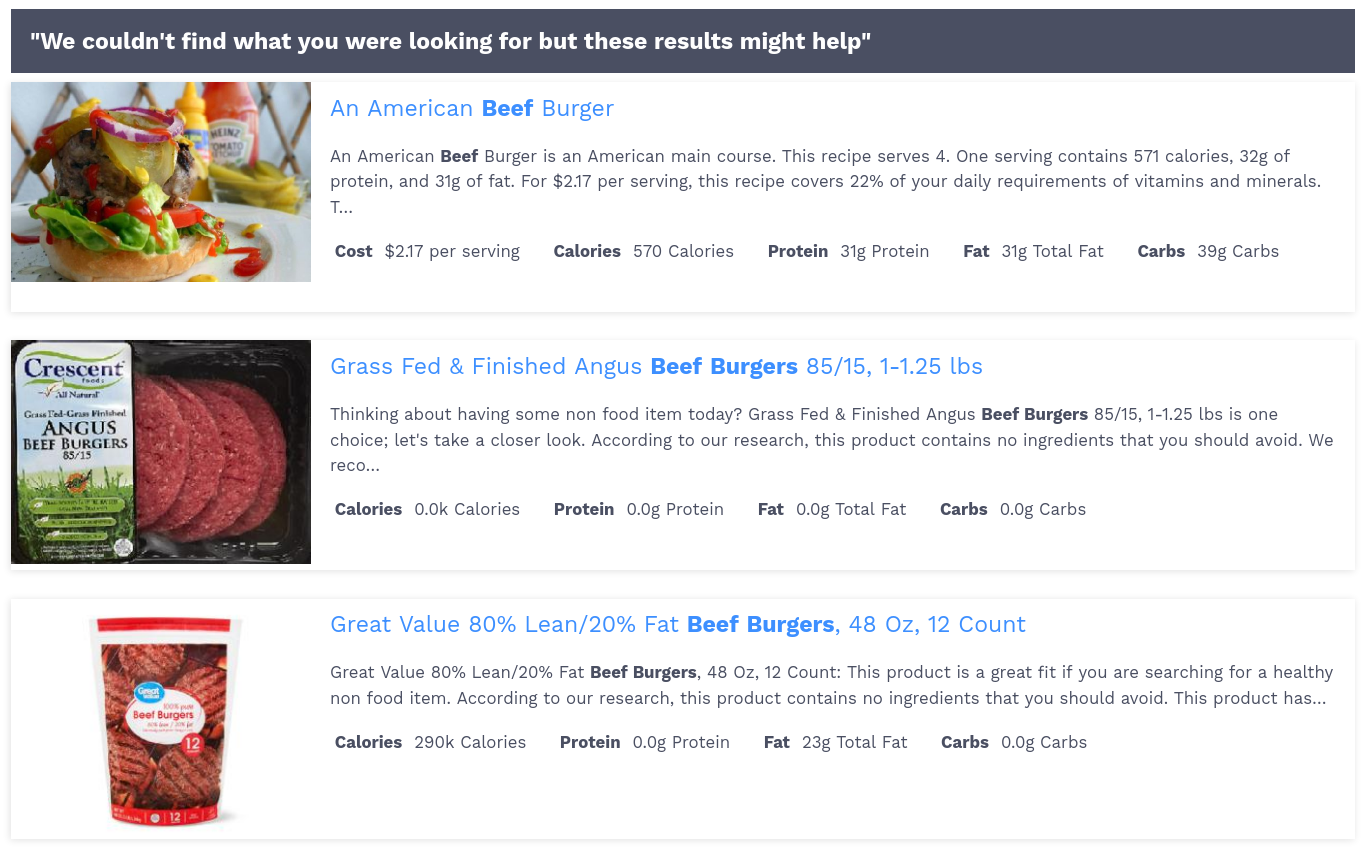
Here's the configuration for the example above:
window.ss360Config = {
    siteId: 'spoonacular.com', /* Replace with your site id */
    searchBox: {
        selector: '#searchBox' /* Replace with css selector of your search box */
    },
    results: {
        embedConfig: {
            contentBlock: '.example__page-content-block' /* Replace with the css selector of the DOM element you want to use */
        }
    },
    smart404: {
        caption: 'We couldn\'t find what you were looking for but these results might help',
        identifier: 'page not found',
        resultSelector: '#ss360-404',
    }
};