Scoping Search Results
Scoping controls what content each search box returns.
Using data-ss360-include and data-ss360-exclude
Add data-ss360-include or data-ss360-exclude directly to each search input element in your HTML. This is the only approach that supports true include logic — no UI equivalent exists.
data-ss360-include="[]"— no restriction, all content groups are includeddata-ss360-include="['Products','Reviews']"— returns only the listed groupsdata-ss360-exclude="['Menu Items']"— returns everything except the listed groups
To find the right element, look for the one matching the selector value in your ss360Config — that is your search box element.
Using Result Groups in Design & Publish
Result Groups let you categorise your indexed content into named groups — for example, Recipes, Articles, or Menu Items. See the Result Groups documentation to learn how to create and manage them.
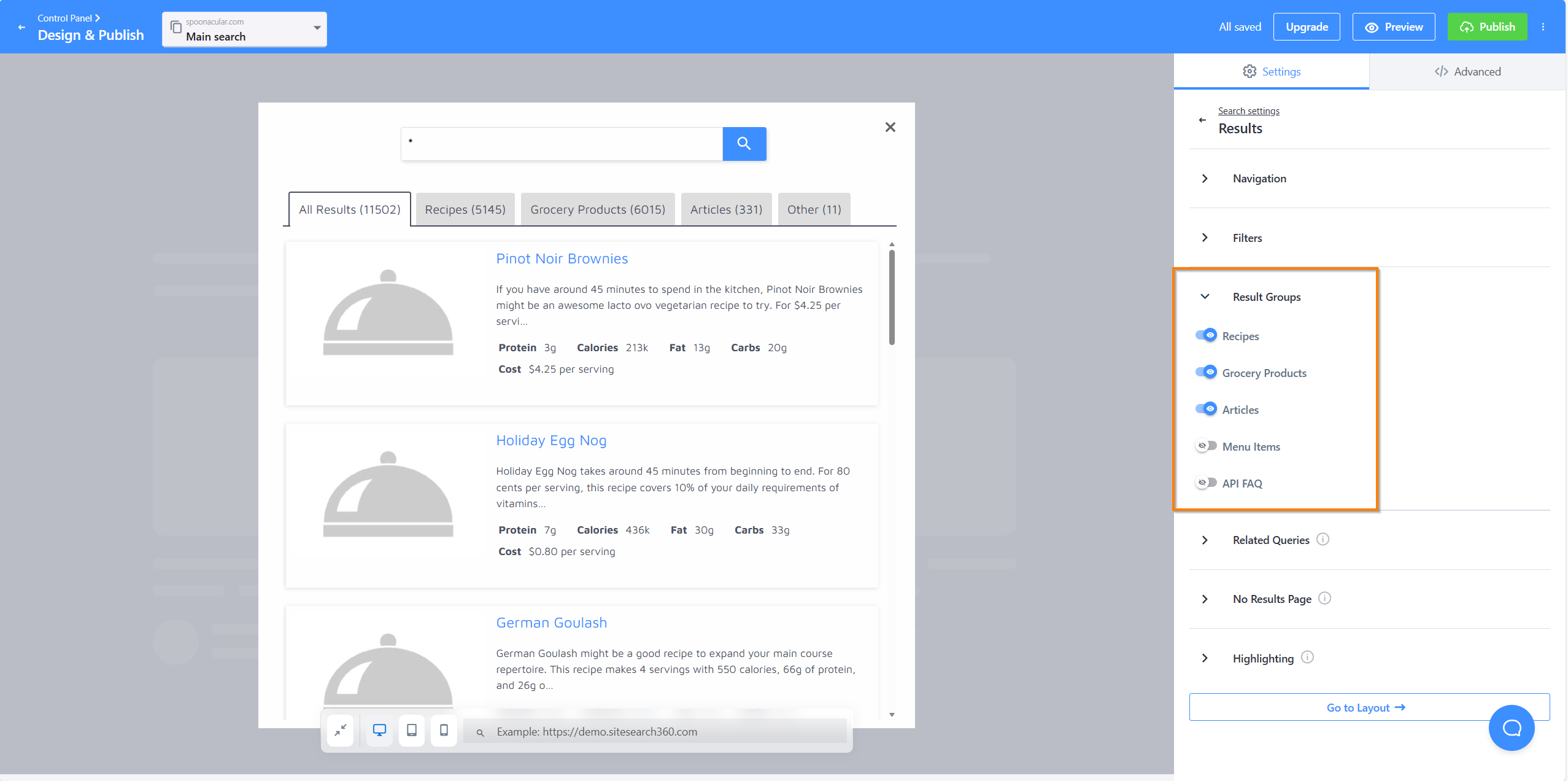
Scoping via Result Groups is exclusion-based — results include everything except the groups you explicitly disable. There is no native include-only toggle.
To exclude a Result Group, open Design & Publish, navigate to Results and select Result Groups. There you can toggle off the groups you want to suppress.
Which Approach to Use
| Goal | Recommended approach |
|---|---|
| Limit a search box to specific groups | data-ss360-include on the input element |
| Exclude one or a few groups from a broad search | Result Groups via Design & Publish |
| Two search boxes with completely different settings | Separate Configurations in Design & Publish |
| Two search boxes with different scopes, same setup | data-ss360-include per input element |
| Two separate SS360 projects on the same page | Multiple site IDs in code — see Multiple Search Boxes |