Feeds
This is a Product Search feature, available only on ecommerce (Content + Product Search) projects. To use it, explore ecommerce search, start a trial, or contact support.
If you run an online shop, add a product feed as your data source. A product feed is a structured file of your products that Site Search 360 imports to build product search results — an alternative to, or complement of, crawling your website. Upload your feed or provide a feed URL under Feeds. If your Control Panel has no Feeds section, your project does not have ecommerce search yet.
Feed fields
Each product is one row. These fields are required: Unique Identifier, Product Name, Product URL, Image URL, and Product Category (or breadcrumb). Every other field is optional but improves result quality and ranking.
Full field reference (required and optional)
| Field Name | Description | Example | Required? |
|---|---|---|---|
| Unique Identifier | Unique product ID from your ecommerce system database (e.g., article number, SKU, MPN, EAN, order number, or similar) | 79002A33_RD | yes |
| Product Name | Product name or title | Canon EOS 4000D DSLR Camera | yes |
| Product URL | Absolute canonical URL to the product detail page | http://example.com/products/product?id=2417 | yes |
| Image URL | Absolute URL path to the product image | http://example.com/assets/product\_images/3234.jpg | yes |
| Product Category or Breadcrumb | Category path, product type, or navigational breadcrumbs | Home > Camera&Photo > Digital Camera > Digital SLRs | yes |
| Group identifier | ID used for clustering your product variants into one master product from your e-commerce system database. If this doesn't apply to your products, ignore this column. | 79002A33 | no. Recommended if you want to group product variants in one result card instead of showing a result per variant |
| Product Description | Long or short text description of the product | The Canon EOS 4000D is a combination of high image quality, incredible performance and superior features that satisfies the needs of the most demanding professional or advanced amateur photographer. | no |
| Price | Current available price (currency can be set later) | $359.95 | no |
| Manufacturer | Product manufacturer or brand | Canon | no |
| Global Trade Item Number (GTIN) | There are different types:• UPC (in North America/GTIN-12): 12-digit number (convert 8-digit UPC-E codes to 12-digit codes)• EAN (in Europe/GTIN-13): 13-digit number• ISBN (for books): 13-digit number (convert ISBN-10 to ISBN-13). If you have both, include only the 13-digit number | 012345678905 | no. If you have it, make sure to map it to the articleNumber field when importing your product feed. |
| Manufacturer's part number (MPN) | Manufacturer-assigned part or model number | 4000D | no |
| Product attributes or features | Additional product attributes or features | E.g., dimensions, material, display size, memory size, etc. | no |
| Meta Attributes | Any meta attributes that can be used for ranking purposes. | E.g., sales count, availability, CTR etc. See the meta attributes list. | no |
| User Reviews | User reviews including soft, subjective attributes. | Nice design, long battery life. | no |
Meta attributes and business metrics
The Site Search 360 engine can also process additional business metrics from the feed and apply them in ranking strategies:
Supported meta attributes
- Stock Availability
- Internal margin, e.g., final price minus purchase price / profit margin
- Private label indicator (isPrivate flag)
- Number of customer ratings
- Average customer rating
- Sales figures / Sales rank / Sold amount
- Discount
- Has delivery costs
- Max delivery days
- Return rate
- Cancellation rate
- Previous click-through rates per product. Note: if the Site Search 360 tracking script is integrated, this information is already available in Site Search 360
- Product list CTR
- Release date to push new products
- Click-to-cart/add-to-basket rate per product
- Product rating numbers from other systems (e.g., Prudsys Bestseller, Amazon rating)
Integrating your feed
There are several ways to transfer your product data to Site Search 360. Go to Data Sources > Feeds and select one of the available options:
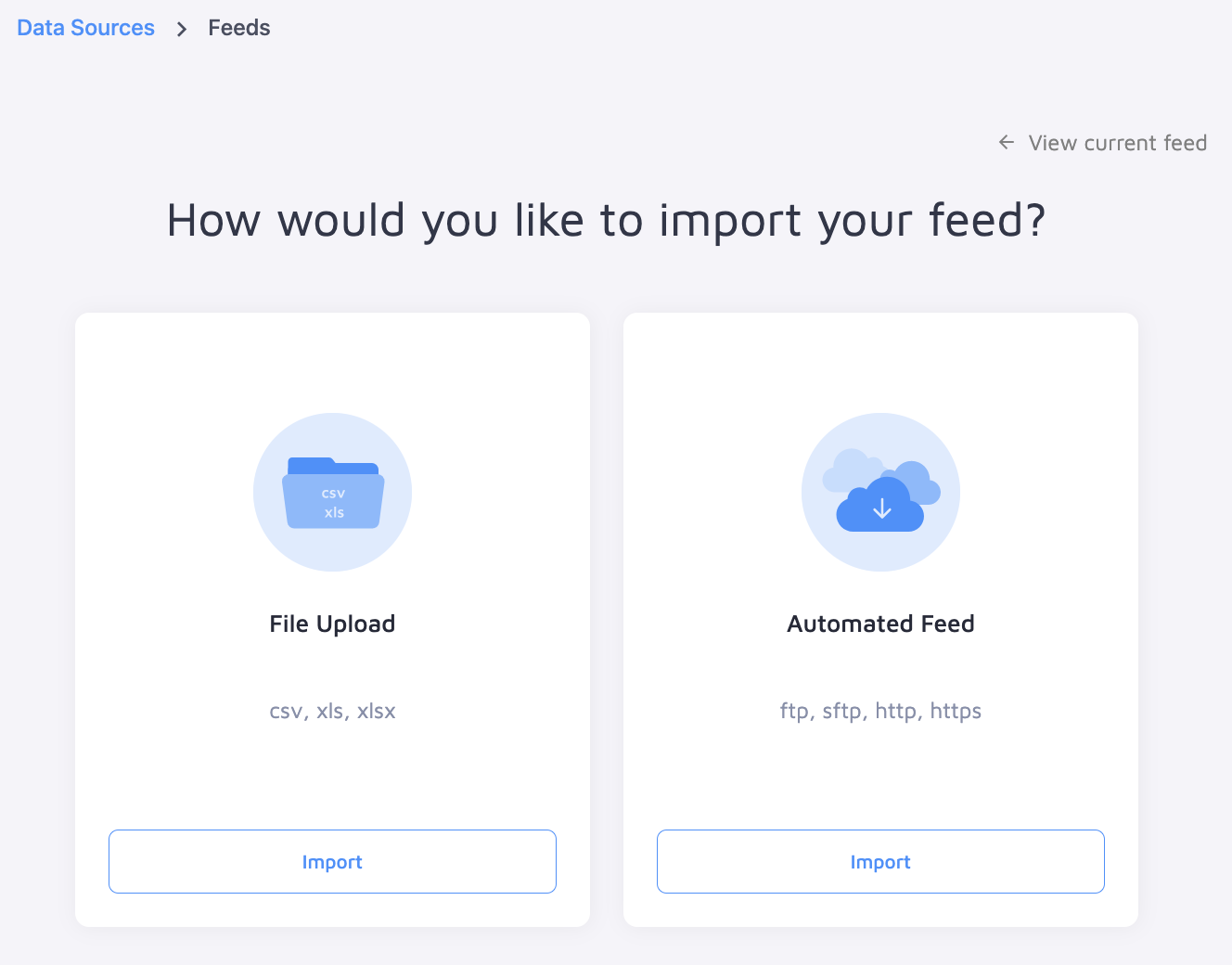
- Site Search 360 downloads a
*.csvfile at agreed times via HTTP from a specified URL. - Site Search 360 downloads a
*.csvfile at agreed times via FTP from a specified server. This is a custom importer — reach out to the support team for help with the setup. - Upload a
*.csvfile to an FTP server of Site Search 360. Site Search 360 checks the directory for changes and starts the product update as soon as a new feed is available. This is a custom importer — reach out to the support team for help with the setup. - Use the SS360 ecommerce extensions: Magento, Shopware, Oxid, Modified Shop, Shopify* (coming soon).
- Connect your ecommerce platform or inventory control system/PIM to the Site Search 360 API. This also allows individual products to be updated quickly.
Your first feed import always runs as a full import. After that, incremental updates are possible. Run a full update once a night to keep a consistent dataset.
If a feed can't be parsed, the import is marked as failed in the control panel, so you can spot and fix the problem instead of it failing silently.
Feed structure (CSV)
Use a semicolon (;) as the primary separator and the pipe symbol (|) as the secondary separator.
Put one product per line.
Option 1 — all attributes in one column
Put all product attributes in one column, delimited by the secondary separator (default: pipe symbol). Example:
| name | attributes | |
|---|---|---|
| iPhone 13 case | color = silver | feature = slim | material = plastic |
The secondary separator can also be used for the categoryPath attribute.
Download a sample feed for Option 1
Option 2 — one attribute per column
Use one attribute per column. Example:
| name | color | feature | material |
|---|---|---|---|
| iPhone 13 case | silver | slim | plastic |
Product Variants
Products that come in multiple versions — sizes, colors, storage capacities — can be grouped into a single product, so search does not show the same item several times. Imagine searching for "cashmere sweater" and seeing the same black turtleneck five times because it comes in sizes XS–XL. This is visually unappealing and can push the best match off the first result page.
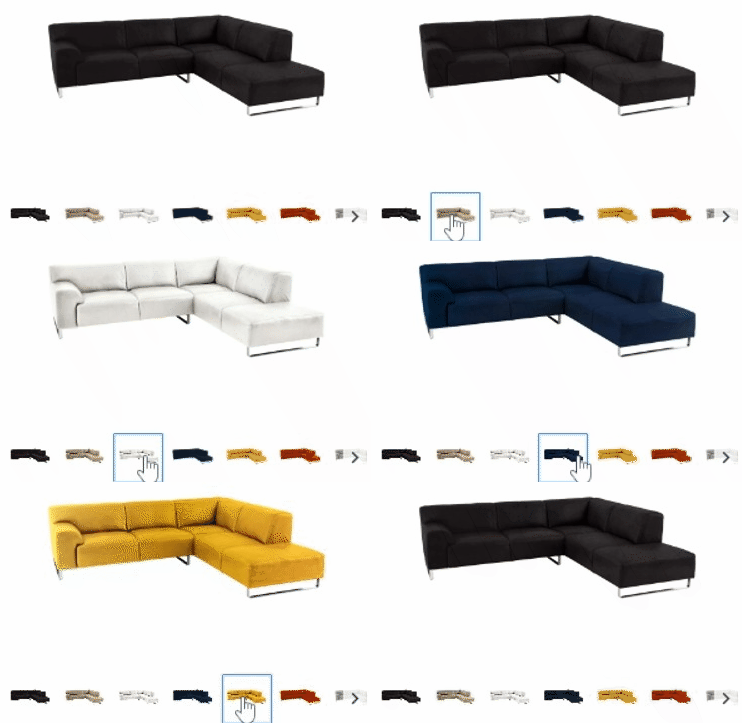
When variants differ by color, the grouped product still exposes each version through a color selector in the result snippet. If the query is "red sofa", the search shows the matching red variants right away.

How to implement product variants
The most important step is to ensure your feed contains a group identifier that groups related products together. Each product still keeps its own unique product ID. For example, the black sofa might have ID 10015 and the red sofa ID 10020, but all grouped sofas share the group identifier 100.

Once your group identifiers are set, enable Group variants under Search Settings → General. Your products are then grouped in the way that best helps customers find the right version.