Indexing Special Content
After you have successfully crawled your website, consider whether you have other valuable content that isn't appearing in search results yet — an FAQ section, pages on a sister site, or YouTube videos you'd like to surface directly in search.
The Data Sources section of the Control Panel lets you add all of this content to your search index.
FAQ Indexing
You have two options for indexing FAQ content: connect an existing FAQ page using the Custom FAQ method, or create a new FAQ using the Site Search 360 FAQ generator.
Custom FAQ
Use this option if you already have an FAQ page and want every Q&A block to be individually searchable — so users can find specific answers directly, rather than landing on the page and searching manually.
- Go to Data Sources → Frequently Asked Questions (FAQ) Indexing and select Custom FAQ.
- Enter your FAQ page URLs.
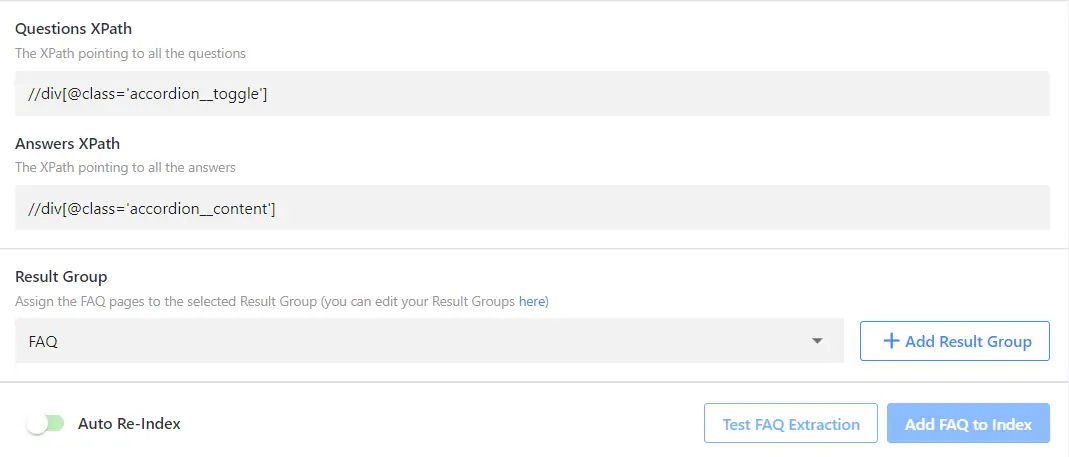
- Make sure your Q&A elements follow a consistent structure throughout the page — for example, every question wrapped in an
<h2>tag and every answer wrapped in<div class="faq-answer"></div>. - Point the crawler to those elements by specifying the corresponding XPaths, for example
//h2and//div[@class="faq-answer"]. - Click Test FAQ Extraction to preview the extracted Q&A blocks. Each block becomes a separate search result, and clicking it scrolls the user directly to that excerpt on the page.
- Save your settings.
Schema JSON (Site Search 360 FAQ)
If you don't have an existing FAQ page, you can create one with the free FAQ generator. Enter your questions and answers, then copy the generated code onto your website where you want the FAQ to appear.
Once the FAQ is live on your site, connect it to indexing in the Control Panel: Data Sources → Frequently Asked Questions (FAQ) Indexing → Schema JSON (Site Search 360 FAQ).
URL List Indexing
If the crawler misses specific URLs, or you only need to index a small number of pages, use the URL List to add pages to the index manually.

This differs from adding URLs individually under Index in two ways:
- The URL List is not purged during a full re-index, whereas links added manually under the Index section are deleted.
- The URL List supports bulk entry via Edit as Text, rather than copying and pasting URLs one at a time.
The URL List supports up to 2,000 pages per project. If you plan to add several hundred pages, consider using a custom sitemap instead — it reduces server load and speeds up subsequent re-indexes.
No-index, whitelisting, and blacklisting rules apply only to content indexed via sitemap or root URL. Pages added to the URL List will appear in search results even if they match no-index or blacklisting criteria, and will remain searchable even if they match a whitelisting pattern.
YouTube Video Indexing
YouTube video indexing is an add-on feature. Set it up in your custom plan.
To add videos from your YouTube channel to your search results:
- Open the YouTube section from Data Sources.
- Enter your YouTube channel URL and choose a result group for your videos.

- Once your videos have loaded, turn on Auto-Reindex and click Add Videos to Index.
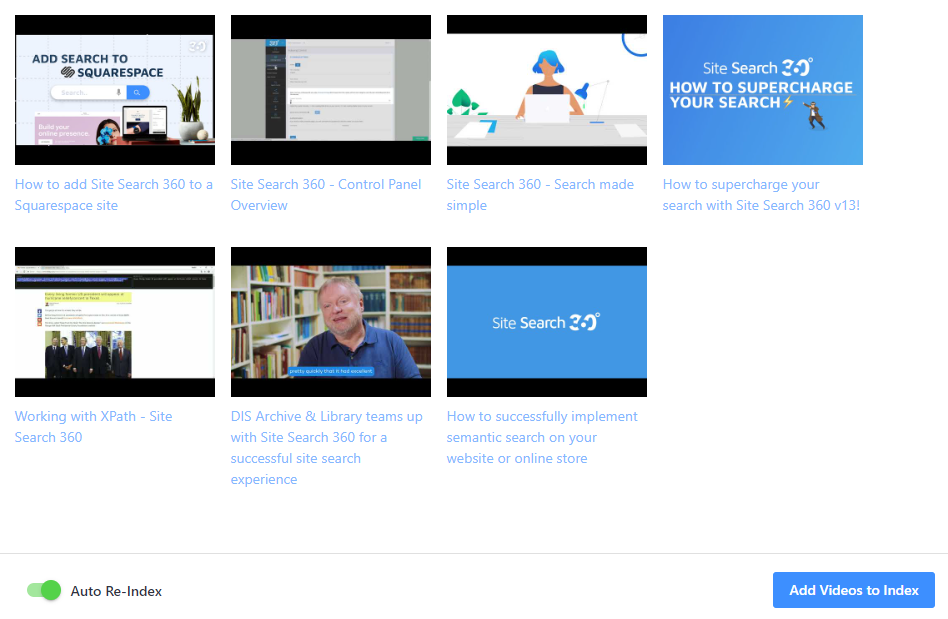
Your YouTube videos will now appear in search results whenever they match a query.