Custom Results
Custom Results are result entries and promotional banners that look and behave like pages already in your index, even if they link to a different website. Use them to fill gaps in your catalog or draw attention to a promotion.
Create a Custom Result or Banner
Create custom results and banners using the two buttons at the top middle of the Customize screen, within a Result Mapping.

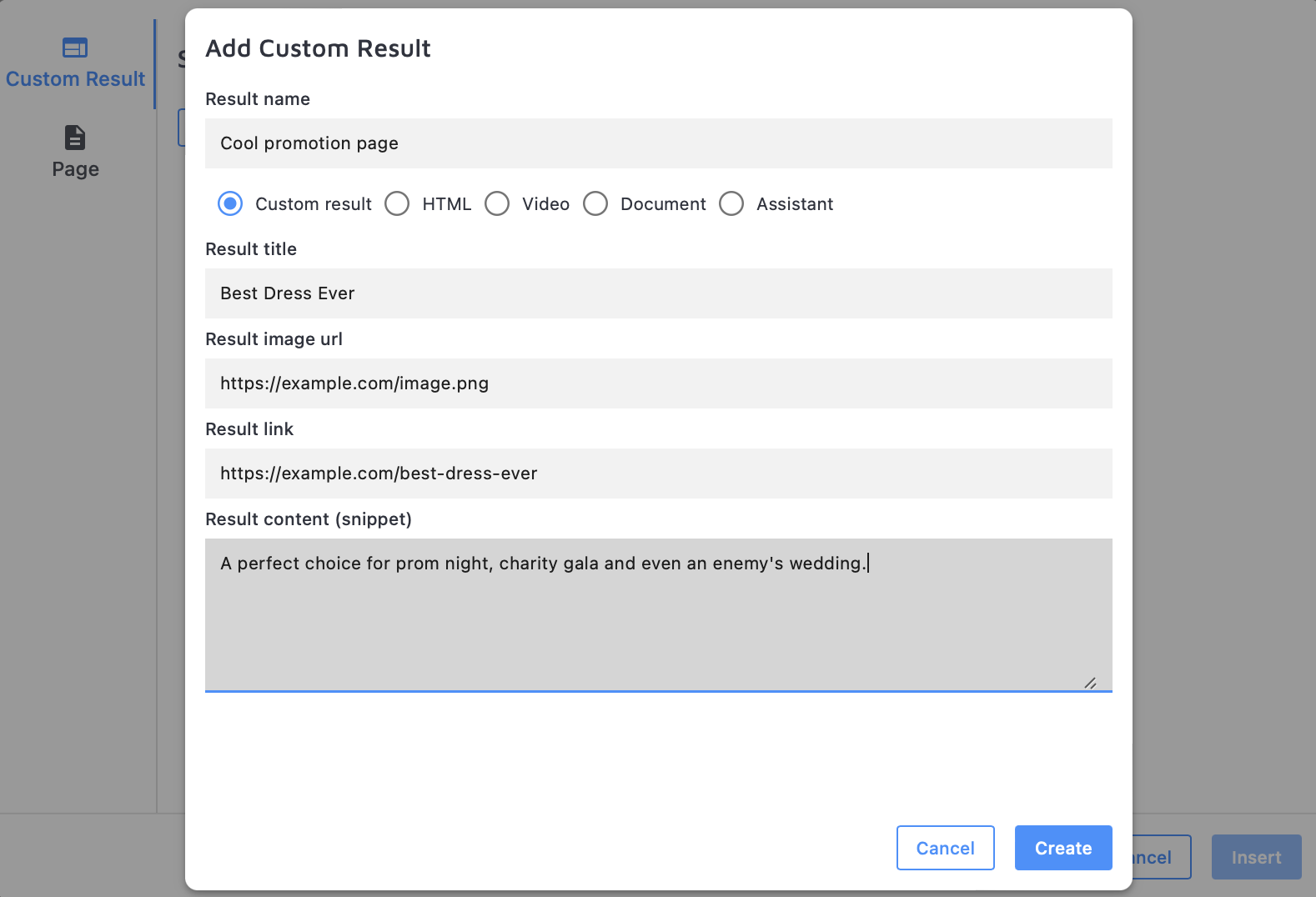
The Custom Results Editor asks you to fill in:
- Result name — for internal reference only, not shown to visitors
- Type of result — a page, video, document, or (if you're also a Zoovu user) an assistant
- Result title
- Result image URL (optional)
- Result link
- Result content or snippet — a short description of the page
To add a promotional banner that stands out visually from regular results and suggestions, go to + Add Banner above Results and select an existing HTML result or create a new one.
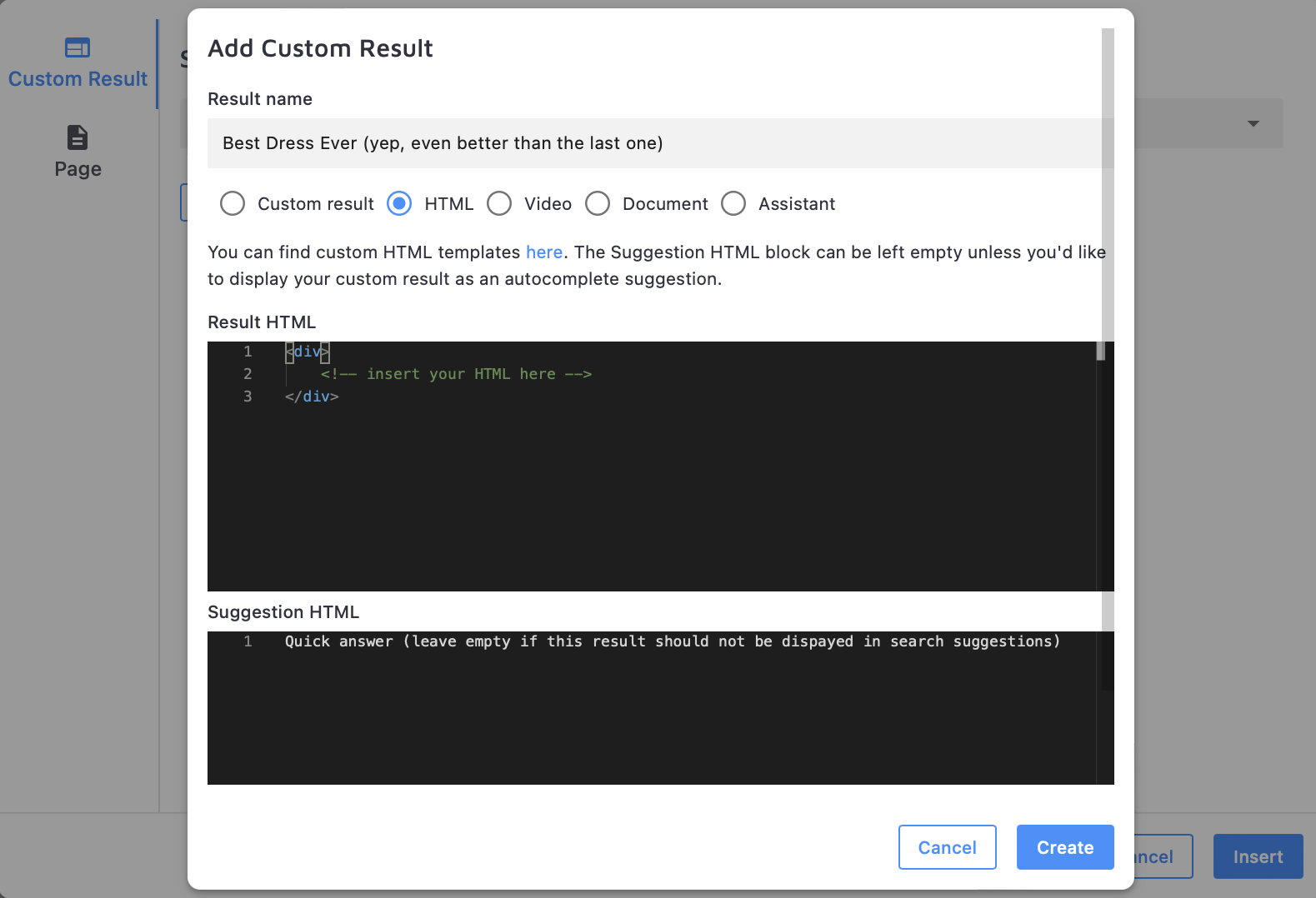
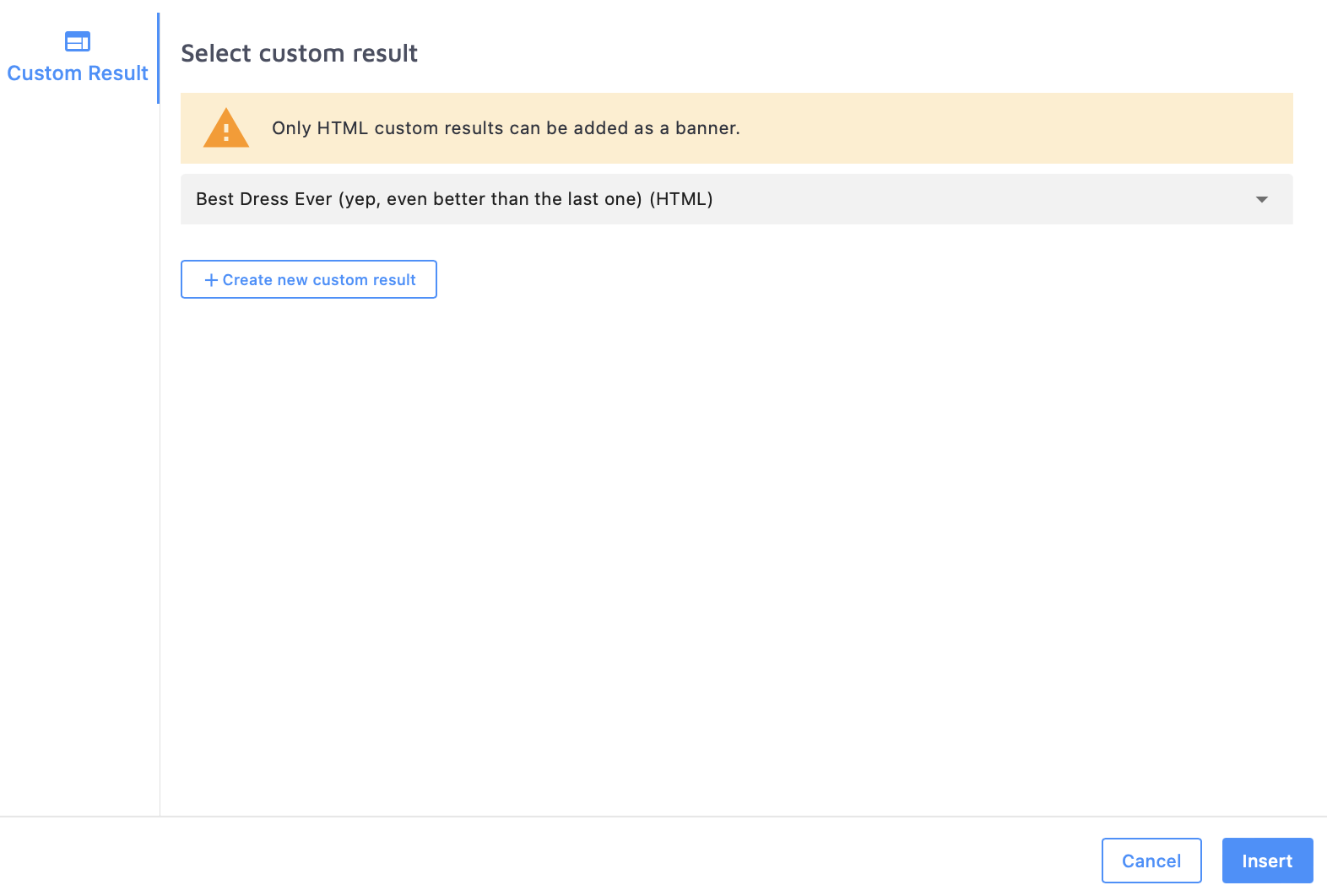
Custom results can be reordered like any other result. Custom banners are always pinned to the top of the page.
Promotional banners require version 14 or later of the search script. If you're on an older version, upgrade to use them.
Manage Custom Results
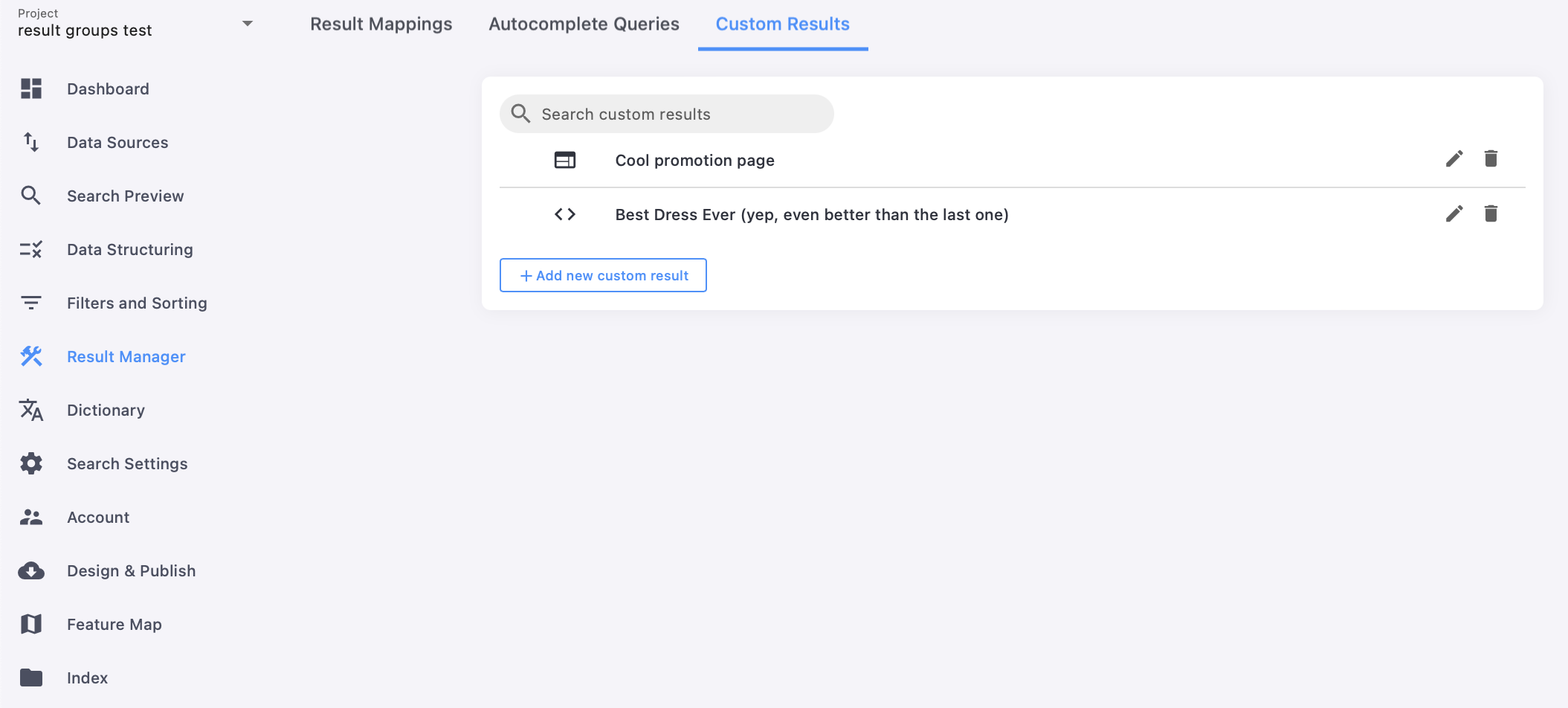
Every custom result and banner you create appears under the Custom Results tab of Result Manager:
Custom Result HTML Templates
If you're building a custom HTML result or banner from scratch, start from one of the templates below. Replace the {LINK}, {TITLE}, {TEXT}, and {IMAGE_URL} placeholders with content from your site. These templates match the default styling of results rendered by the v13 script.
The class names below are reproduced exactly as provided by the source template — some line breaks within class attributes appear to be a copy/paste artifact from the original source. Verify against your rendered markup before relying on exact class names.
Custom result without an image
<div class="ss360-suggests
content">
    <header class="ss360-n-section ss360-suggests
header">
        <span role="heading" class="ss360-suggests
link-wrap" aria-level="4">
            <a class="ss360-suggests
link ss360-ac-c" href="{LINK}" target="
blank">{TITLE}</a>
        </span>
    </header>
    <p class="ss360-suggests
_snippet">{TEXT}</p>
</div>
Custom result with an image
<div class="ss360-suggest
image-container">
<a class="ss360-suggests
image-wrap" aria-hidden="true" tabindex="-1" href="LINK">
    <img alt="" aria-hidden="true" role="presentation" aria-label="{TITLE}" class="ss360-suggests_
image" src="{IMAGE_URL}">
</a>
</div>
<div class="ss360-suggests
content">
    <header class="ss360-n-section ss360-suggests
header">
        <span role="heading" class="ss360-suggests
link-wrap" aria-level="4">
            <a class="ss360-suggests
link ss360-ac-c" href="{LINK}" target="
blank">{TITLE}</a>
        </span>
    </header>
    <p class="ss360-suggests
_snippet">{TEXT}</p>
</div>
Custom search suggestion without an image
<a class="unibox
search-content unibox
search-content--link" href="{LINK}" title="{TITLE}">{TITLE}</a>
Custom search suggestion with an image
<div style="display:flex;">
    <img src="{IMAGEURL}" width="{IMAGEWIDTH}" height="{IMAGE_HEIGHT}" style="margin-right:16px;">
    <a class="uniboxsearch-content uniboxsearch-content--link" href="{LINK}" title="{TITLE}">{TITLE}</a>
</div>