Autocomplete Queries
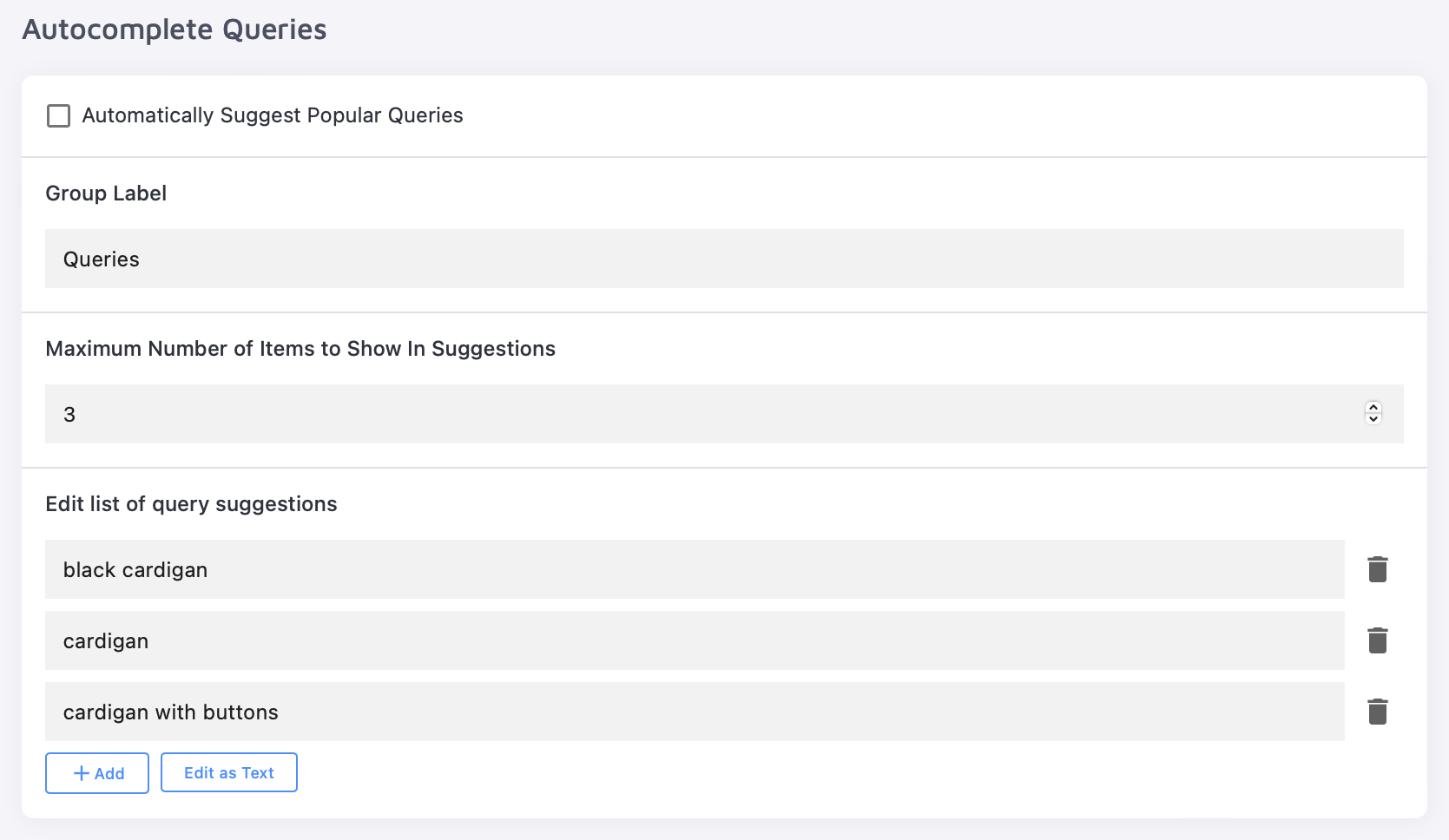
Autocomplete Queries complete a user's search term with whatever you want to highlight. For example, to promote your cardigan collection, configure suggestions like "black cardigan" or "cardigan with buttons" to appear on top of the search suggestions. These predictive suggestions appear once the user has typed at least three characters — for these examples, typing "car" or beyond would trigger them.
Unlike best-matching result suggestions, which surface pages from your index, Autocomplete Queries suggest the search terms themselves — completing what the user has started typing.
Autocomplete Queries render inside your query-based suggestions dropdown. They appear only when suggestions are enabled and the Autocomplete queries content block has been added under Design & Publish → Suggestions.
Configure Autocomplete Queries
- Automatically Suggest Popular Queries — when enabled, Site Search 360 checks your dashboard analytics for the most frequently searched queries that match the trigger and suggests them. Popular queries are tracked anonymously and updated every 3 days.
- Group Label — the title used to search these queries internally.
- Maximum Number of Items to Show In Suggestions — if you also have search suggestions enabled, make sure both suggested queries and search suggestions together fit above the screen breakpoint.
- Edit list of query suggestions — change existing queries or add new ones with + Add.
You can populate the list in two ways, and the two can be combined: turn on Automatically Suggest Popular Queries to let Site Search 360 fill it from analytics, and add your own entries manually to promote specific terms.
Related
- Search Suggestions — other ways to control what appears in search suggestions.
- Empty State and Query-based Suggestions — where the Autocomplete queries content block is enabled and laid out.
- Custom Results — add result entries and promotional banners to the suggestions and results.
- Result Mappings — trigger specific results or redirects for chosen keywords.