Billing and Plans
Billing Ownership and Access
Billing is managed on the project level. Only the account owner has access to billing details.
If you'd like to manage multiple projects under the same plan, reach out to us and we'll be happy to set up a custom plan for you.
Updating Payment Information
Once you've subscribed to a paid plan, you can change your card details under Billing:

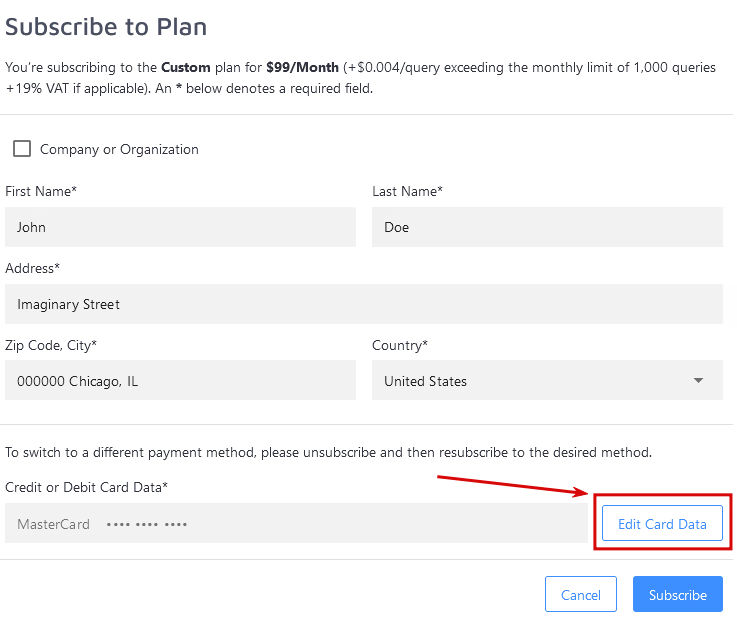
You can also edit your card info when switching to a new plan:
Switching payment methods
Switching between different payment methods can only be done by unsubscribing entirely and then subscribing to a new paid plan. Automatic proration will not work in this case: contact us for a solution.
Changing Your Plan and Proration
If you pay with a credit card and need to upgrade or downgrade your plan, go to Account -> Plan.
There, you can customize your plan by selecting a new indexed pages limit, a different search volume, or some add-on features. Once you're done, hit "Subscribe". The proration will be automatically calculated by our payment provider (Stripe) and reflected in your next invoice in the new billing cycle if you downgrade your plan. In case of an upgrade, you'll be charged the difference of the old and new plan immediately.